Growth MS Solo Business OS / by Growth MS

FOR SOLO SERVICE PROFESSIONALS

Run your business.
Not your business software.

Bring leads, clients, projects, tasks and money into one focused workspace. Built for the person doing it all.

$79launch priceOne payment. No subscription.
See it in action

Standalone browser app. No Notion. No account required.

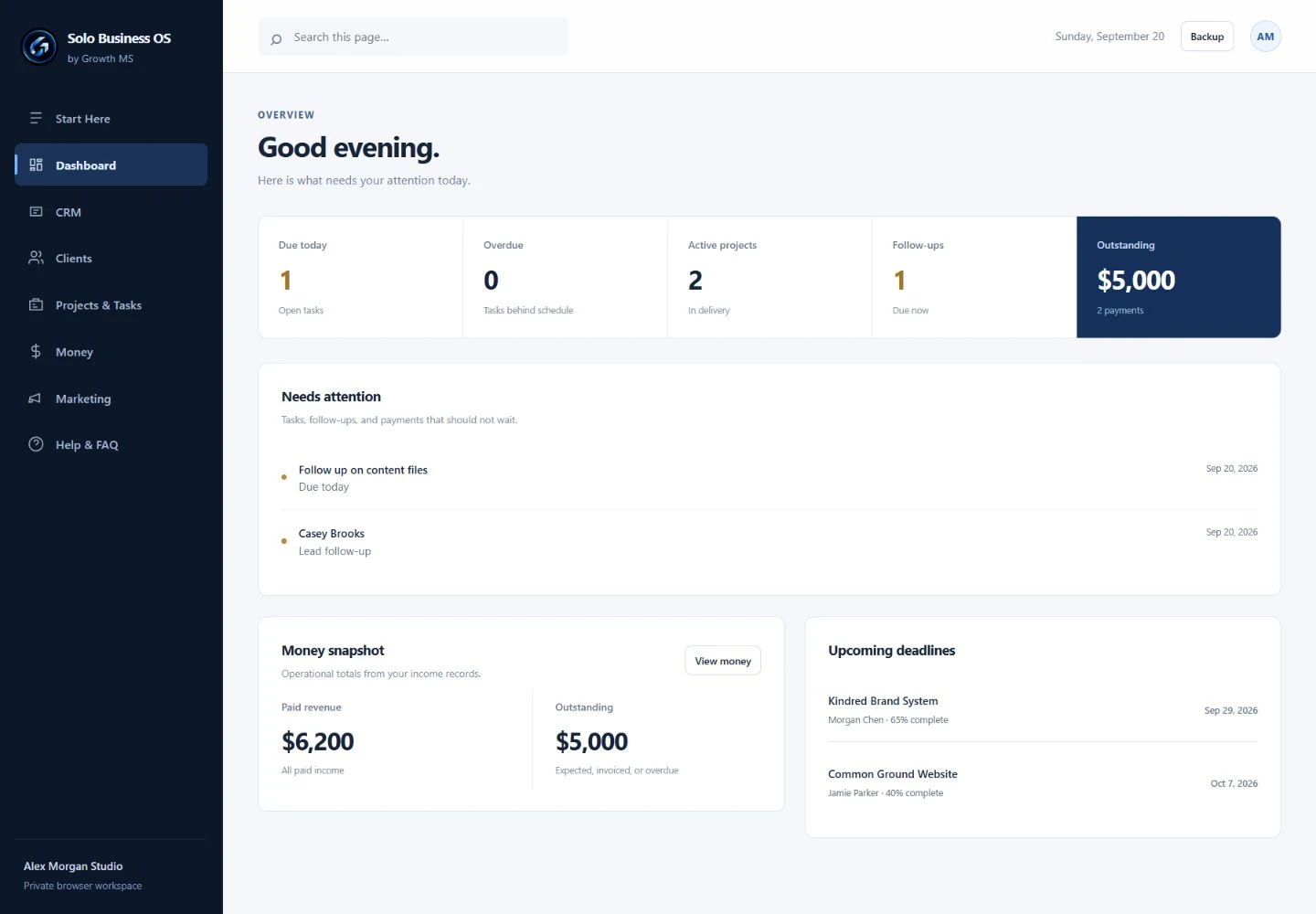
Actual Solo Business OS dashboard: tasks needing attention, outstanding payments, and project deadlines using fictional demo data

Actual product interface · Fictional demo data · Click to enlarge

01 / A clearer workdayYour work, in perspective
Made for one-person service businessesLocal browser workspaceWorks offline after downloadOne-time purchase

LESS SWITCHING. MORE VISIBILITY.

Your business shouldn’t need
five places to stay organized.

A lead here. A deadline there. A payment you need to follow up on. Keeping the pieces together becomes a job of its own.

ClientsContact lists
LeadsCRM
ProjectsProject manager
MoneySpreadsheets
Tasks & ideasScattered notes
One focused workspace.The essential parts of your business, connected in Solo Business OS.

MEET YOUR WORKSPACE

The big picture.
And the next small step.

See what needs attention, follow an opportunity, or check a client’s payment status. Start with a ready-to-use application instead of building your own system.

Dashboard with fictional demo tasks, follow-ups and payment totals

THE ESSENTIALS, WITH A PLACE TO BELONG

Purpose-built for solo work.

Enough structure to stay on top of the business. Enough simplicity to get back to your clients.

01 / OVERVIEW

Know what needs attention.

Your Dashboard brings tasks, lead follow-ups, payment totals and project deadlines into view.

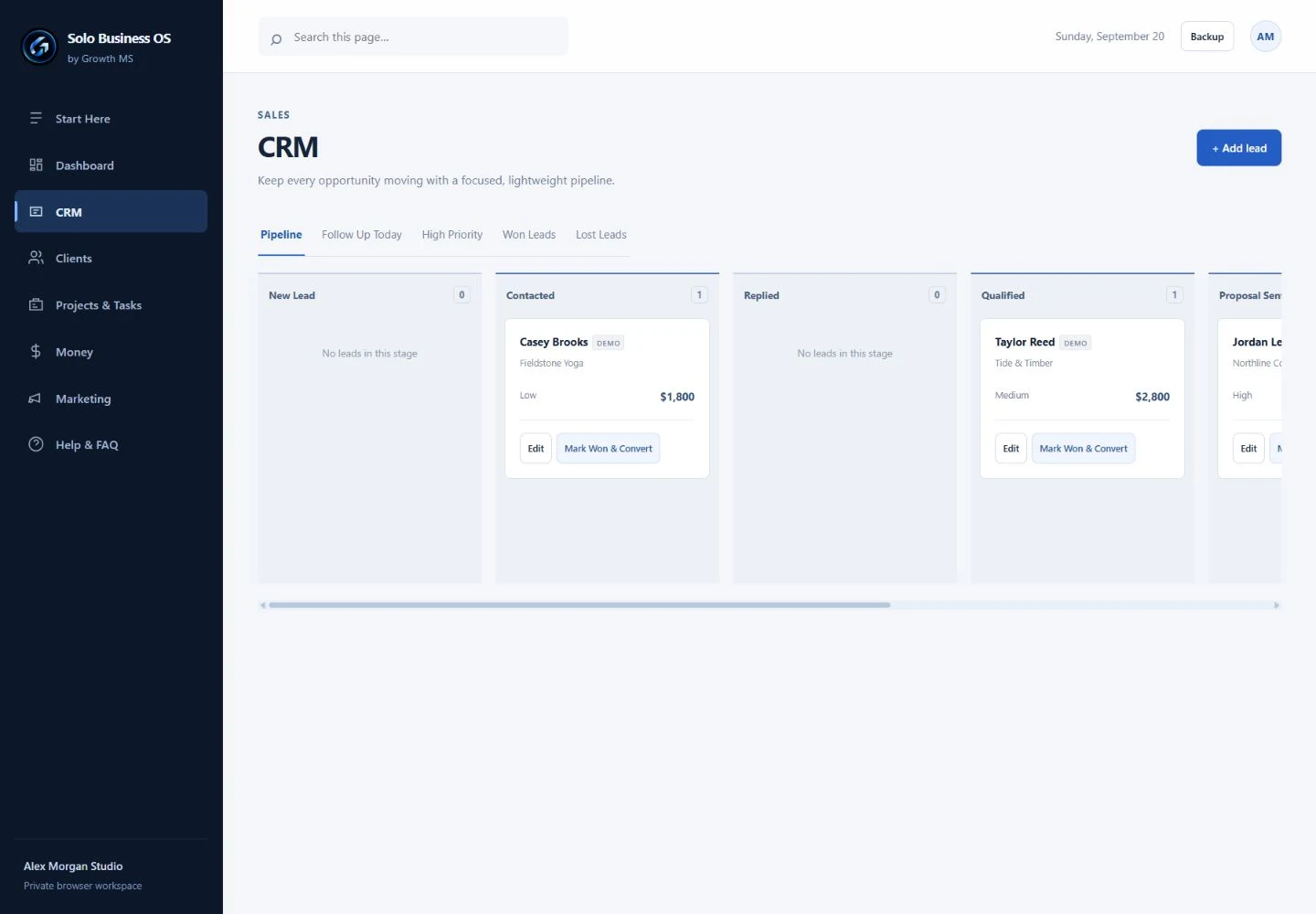
02 / CRM

Keep the opportunity moving.

Track lead stages, priority and follow-up dates. Convert a won lead into a client in one step.

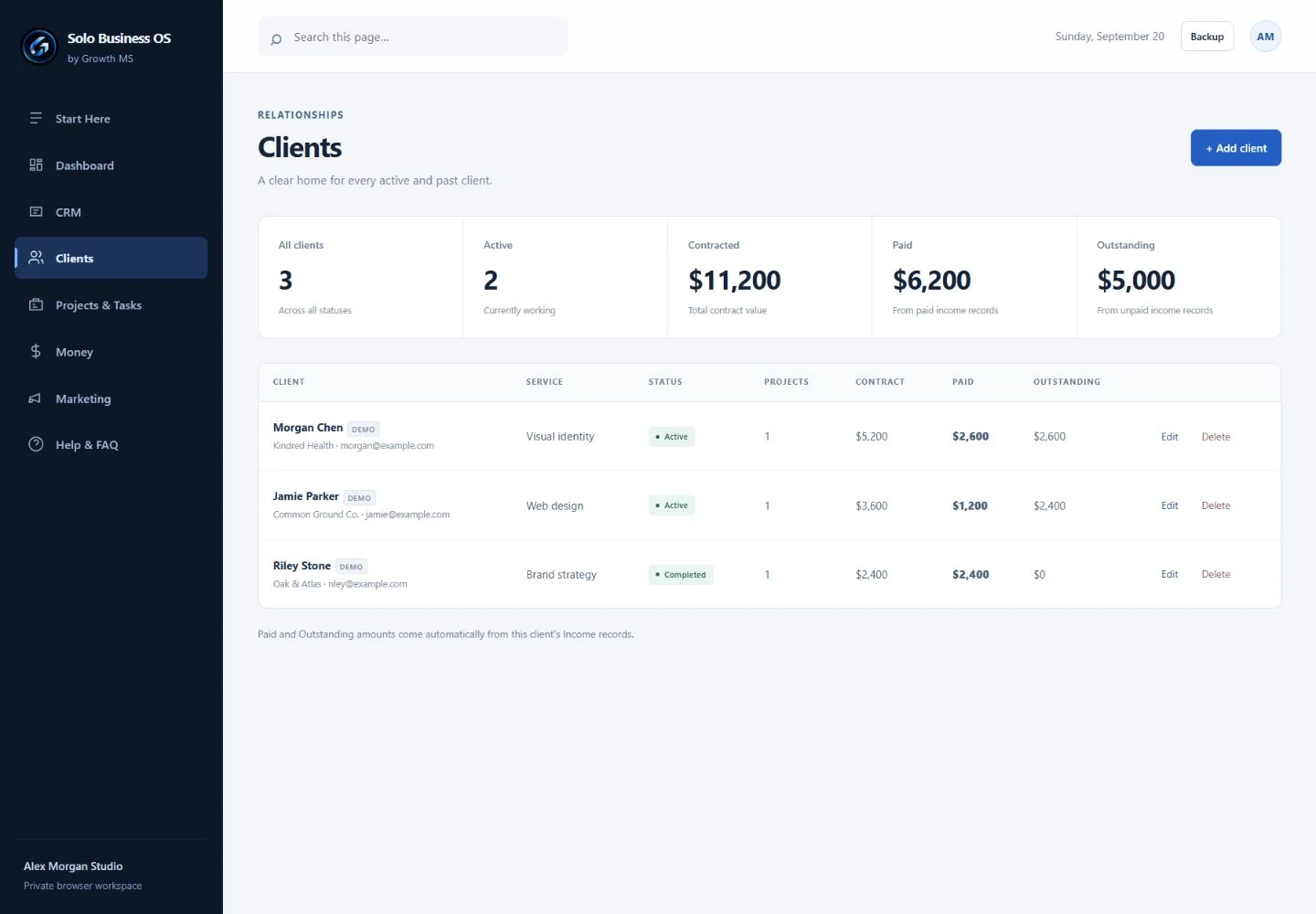
03 / CLIENTS

Keep the context close.

Store contact and service details. See related project counts and payment totals from your income records.

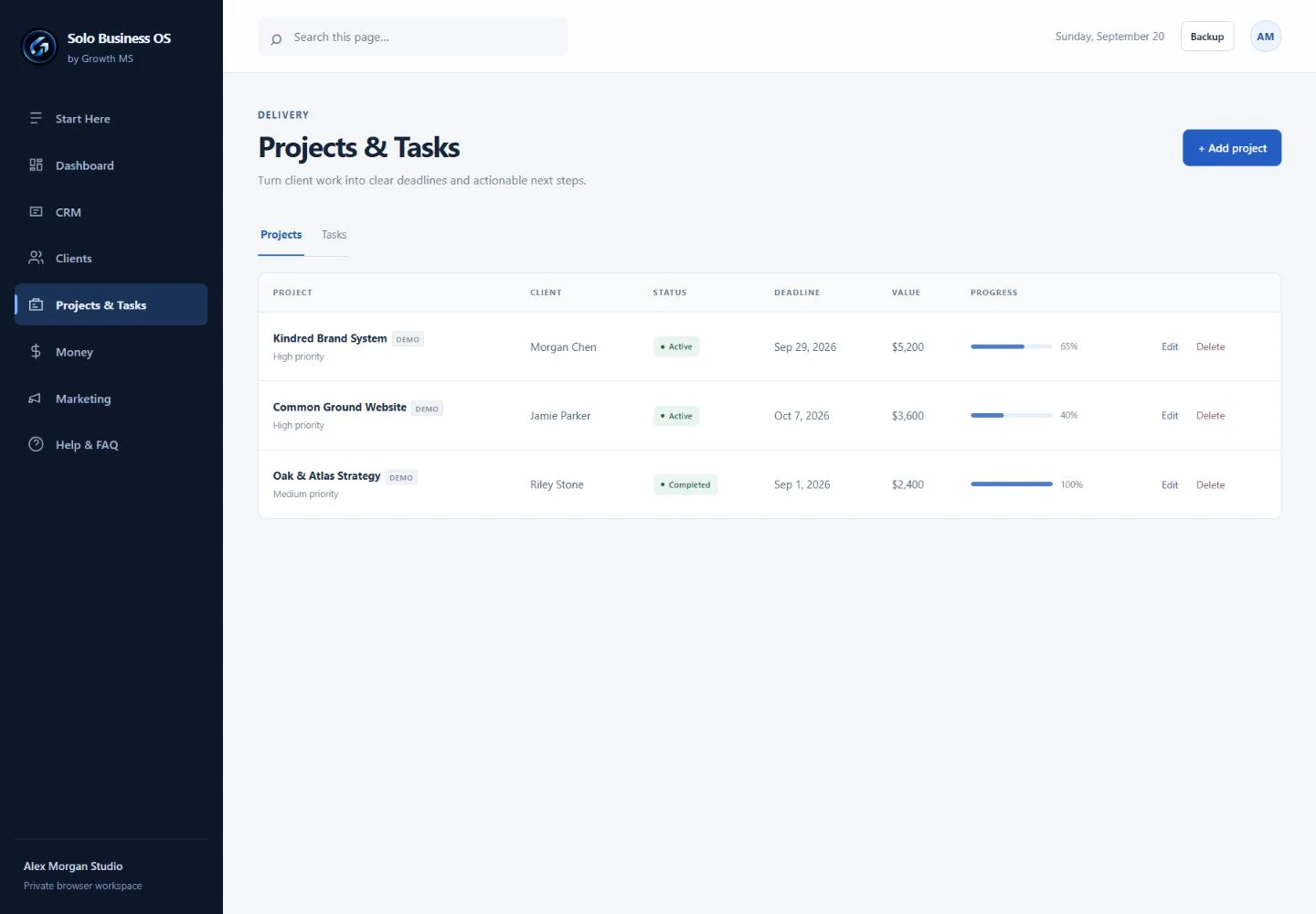
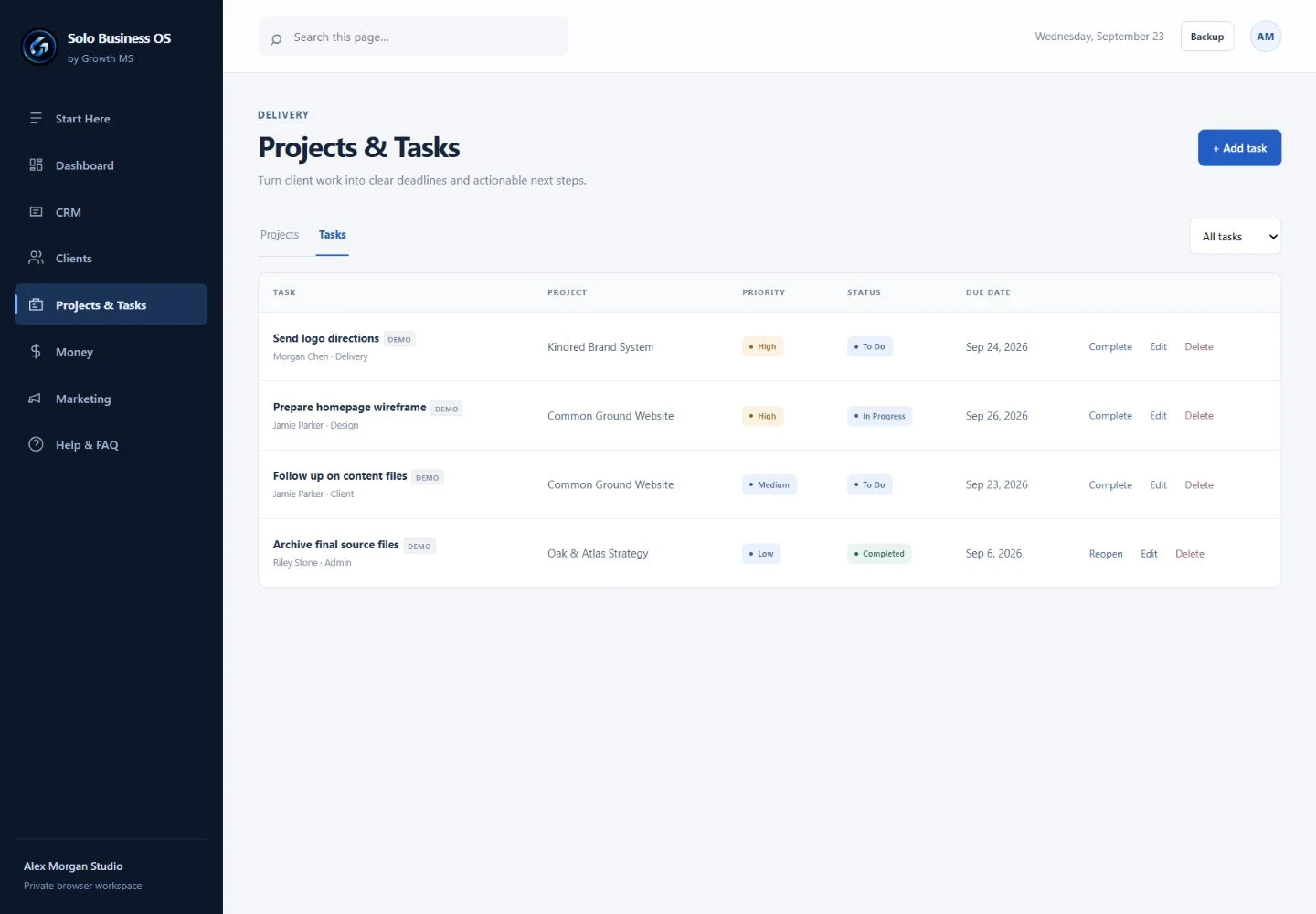
04 / PROJECTS & TASKS

Turn work into next steps.

Connect projects and tasks to clients. Track deadlines, priorities, task status and project progress.

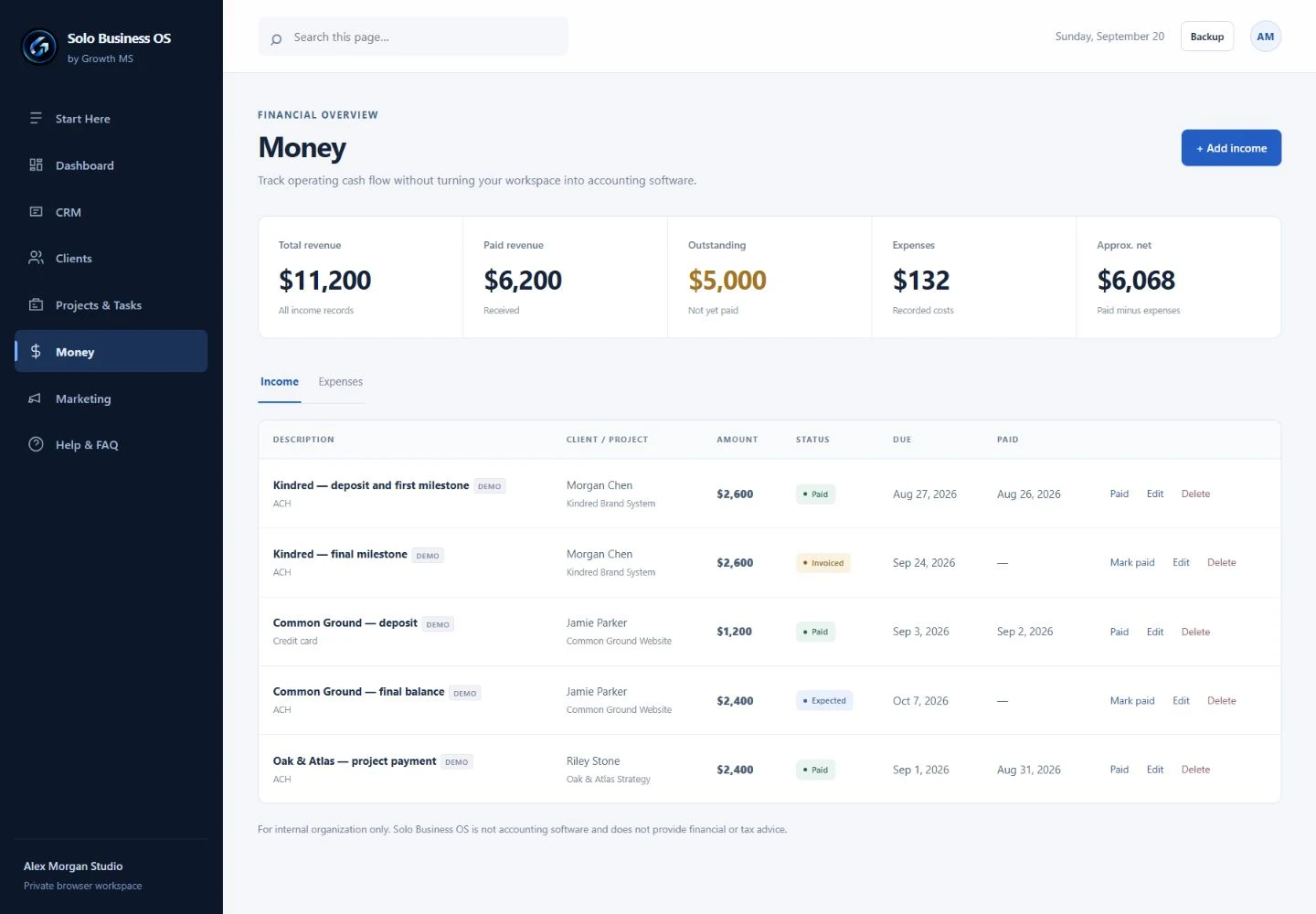
05 / MONEY

See what’s paid. And what isn’t.

Track expected and received income and record expenses. An operational view, not accounting software or payment processing.

06 / MARKETING

Give the next idea a home.

Keep a practical content list with channels, dates and statuses. Plan the work; publish it through your usual tools.

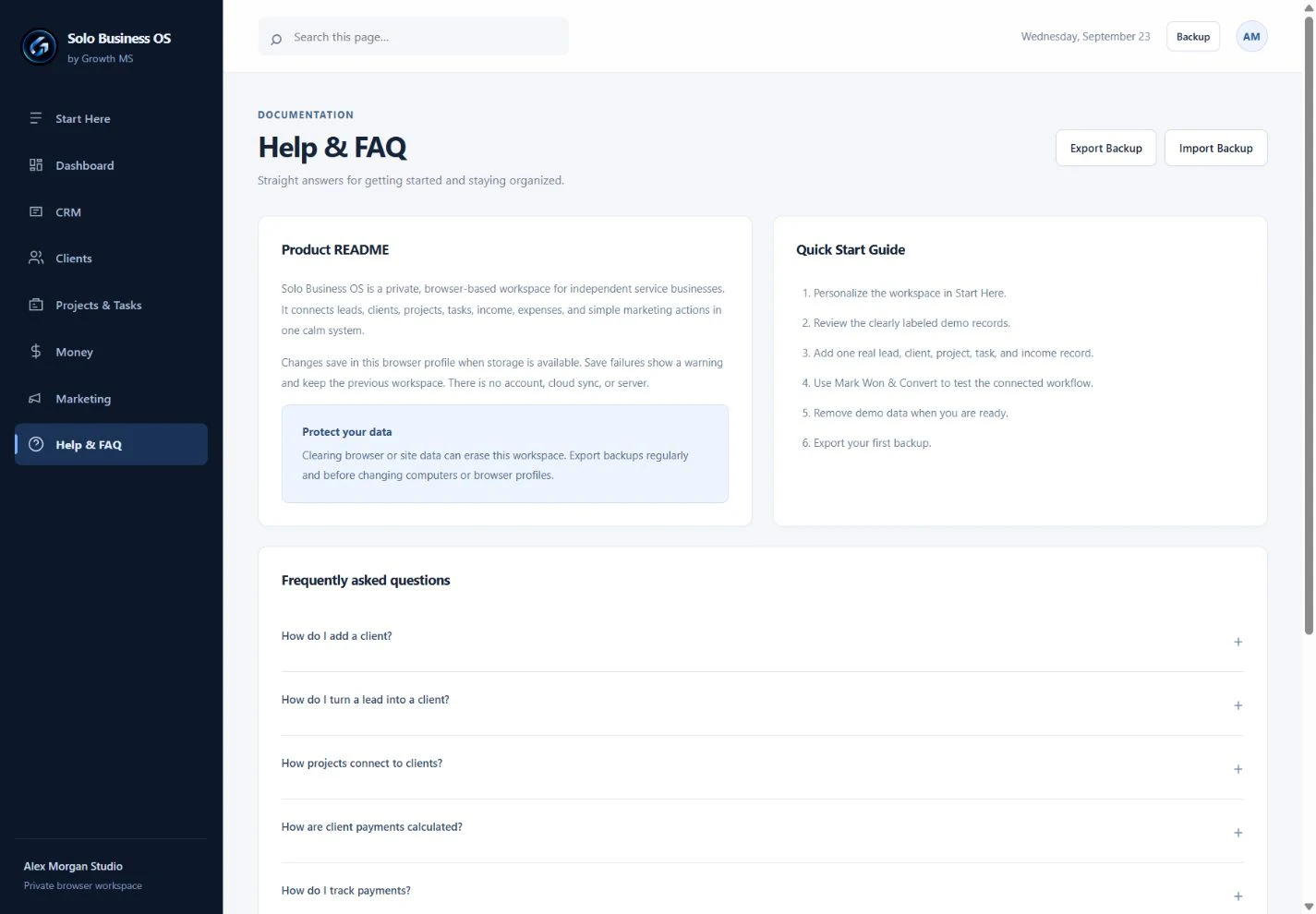
Also included: Start Here with a setup checklist and demo records, plus Help & FAQ with JSON backup and restore.

ONE CONNECTED WORKFLOW

From first conversation
to work delivered.

Keep the relationships between your records, instead of piecing the story together across disconnected tools.

  1. 01Lead

    Capture the opportunity and your next follow-up.

  2. 02Client

    Use Mark Won & Convert when the work is agreed.

  3. 03Project

    Create a project and select the client it belongs to.

  4. 04Tasks

    Add the next actions and connect them to the project.

  5. 05Income

    Record payments and mark them paid when funds arrive.

Connected records. You stay in control.

Lead conversion creates or reuses a client. You add projects, tasks and income yourself. Client payment totals update from those income records.

SIMPLICITY IS THE POINT

You’re one person.
Your software should get that.

You don’t need team administration to organize your own work. Solo Business OS concentrates on the everyday operations of a solo service business.

  • A ready-to-use standalone application
  • No Notion workspace or database setup
  • No Solo Business OS monthly subscription
  • Demo records and built-in guidance to get oriented

A good fit for your kind of work.

For independent professionals managing their own leads, client work and payment records.

DesignersDevelopersConsultantsMarketersCopywritersSolo service providers

Know when you need more.

Choose other tools if you need live team collaboration, cloud sync, payroll, inventory, advanced accounting, client portals, contracts, invoicing or payment collection. Solo Business OS doesn’t replace those services.

LOCAL BY DESIGN

Your workspace lives
in your browser.

Open the downloaded HTML application and work offline. Operational data is saved in that browser profile’s local storage.

  • No product account or server
  • No automatic cloud or multi-device sync
  • Export your workspace as a JSON backup
  • Restore it using Help & FAQ → Import Backup

Keep regular backups. Clearing browser data can erase your work. Import replaces the current workspace after confirmation. Use a browser with local storage enabled; saving can fail if storage is blocked or full.

A PRACTICAL START

Open it.
Make it yours.

  1. Purchase onceUse the secure Stripe-hosted checkout when launch opens.
  2. Receive your delivery instructionsAfter confirmed payment, follow the secure delivery email.
  3. Open Solo Business OSExtract the download and open the HTML file in a supported modern desktop browser.
  4. Explore, then personalizeChoose Explore Demo or Set Up My Business. Add your details, then remove demo records when you’re ready.
  5. Add your work. Export a backup.Start with your current clients and projects. Keep a recent JSON backup somewhere safe.

ONE PAYMENT. A FOCUSED WORKSPACE.

Own the workflow.
Skip another subscription.

Get the standalone Solo Business OS application, built around the essential operations of your service business.

No system to build from scratch. No recurring Solo Business OS bill. Just a practical place to manage the work.

This is the current launch offer. No inflated original price, countdown or promised future price.

Growth MS Solo Business OS by Growth MS

LAUNCH PRICE

$79 USD

One-time payment. No subscription.

  • All eight product modules
  • Standalone, offline-capable browser application
  • Fictional demo business and setup checklist
  • JSON backup export and restore
  • Built-in Help & FAQ

Local browser storage. Regular backups required.
Review the terms and refund policy before purchase.

CLEAR ANSWERS

Before you
make it yours.

Still have a product question?
support@growthms.dev

Is this a subscription?

No. The current launch price is $79 USD, paid once. There is no recurring Solo Business OS subscription.

Is it a Notion template? Do I need Notion?

No. It’s a standalone browser application with its own interface. You don’t need Notion, a spreadsheet platform or a product account.

What makes it different from a spreadsheet or a full CRM?

You get a ready-to-use workspace with linked clients, projects, tasks and income records. Its scope is deliberately smaller than a full business platform: no complex automation, client portal or team administration.

Does it work offline?

The downloaded HTML file includes the application’s code and styles and has no external runtime dependencies. You can use it offline in a modern browser with local storage enabled. Purchasing and receiving the download require internet access.

Where is my business data stored?

In the local storage of the browser profile you use to open the product. Your operational records are not sent to a product server. Clearing browser or site data can erase them. Avoid private browsing, and confirm your data persists after reopening before relying on the workspace.

Does it sync between devices?

No. Export a JSON backup on the original device, then import it through Help & FAQ on the other device. This is a manual transfer, not automatic synchronization.

How do backups work?

Backup exports the workspace’s profile, setup checklist, leads, clients, projects, tasks, income, expenses and marketing records as JSON. Import Backup checks the basic structure, IDs and record links and asks before replacing the current workspace. Keep regular backups, especially before clearing data or changing devices. The app also shows backup reminders.

Does Money handle accounting or collect payments?

No. Money tracks income and expenses you enter, including expected, invoiced, paid and overdue statuses. It doesn’t issue invoices or collect payments. Continue using appropriate payment, accounting and tax tools.

Is it built for teams or mobile-first work?

This edition is designed for one owner. There are no shared accounts, permissions or live collaboration. On smaller screens, tables become labeled record cards. The CRM pipeline scrolls horizontally between stages. A desktop browser is recommended for the main workflow.

What happens after purchase?

Once payment is confirmed, the intended delivery is a separate secure email with access instructions. Extract the ZIP and open the HTML file to begin. Checkout is currently closed while payment and delivery setup are finalized.

SOLO BUSINESS OS / BY GROWTH MS

Your business, together.
Your attention, back on the work.

Clients. Leads. Projects. Money. Tasks. One place.
$79 launch price. One-time payment. No subscription.

Checkout isn’t open yet.

Solo Business OS is being prepared for launch. No payment has been taken. Please check back or contact support@growthms.dev.

Advertising tracking is off.

No advertising tracker is active when it is unconfigured, disabled, or blocked by your browser’s privacy signal.